Welcome to the Web Makers Circle!
For immediate access to Just Get Started - follow these steps:
DO NOT click the link in the default course welcome email!
The email with the subject line "Important: Your access to training" only gives you a STUDENT account.
To create the FREE Full-Featured Systeme.io website building account you can use to complete the class exercises.
Step 1:
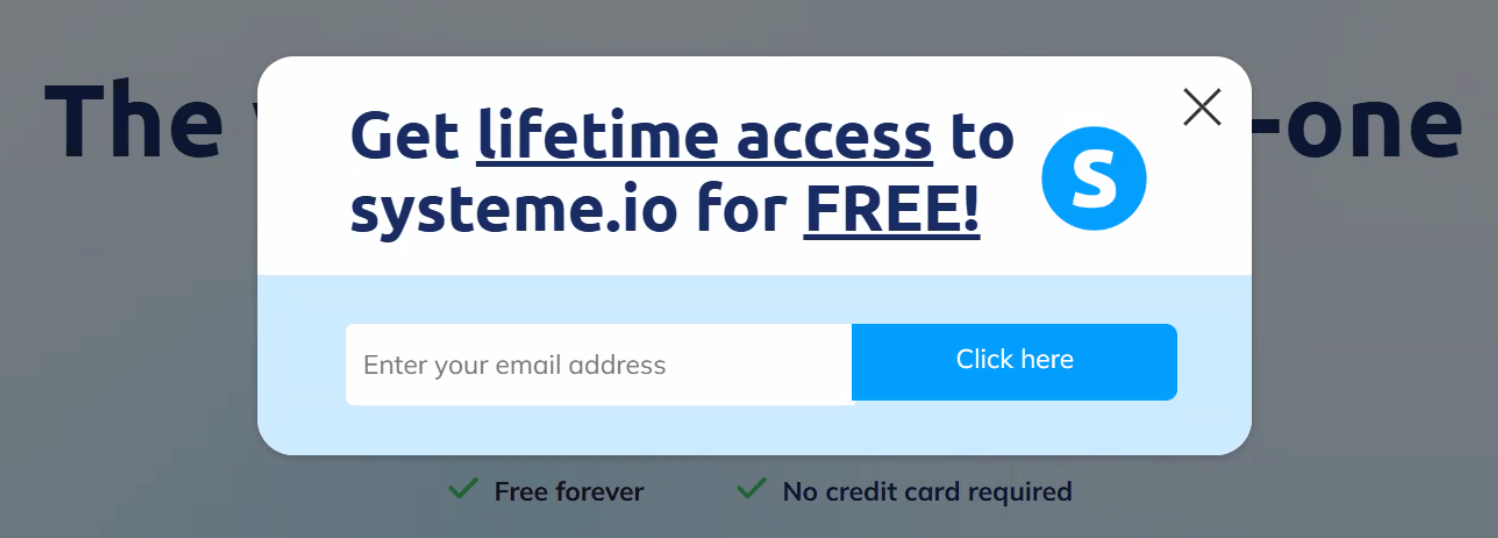
Click the big pink button above and enter your email in the box that looks like this.
You do NOT need a professional business email at this point. Your personal one is fine.
Step 2:
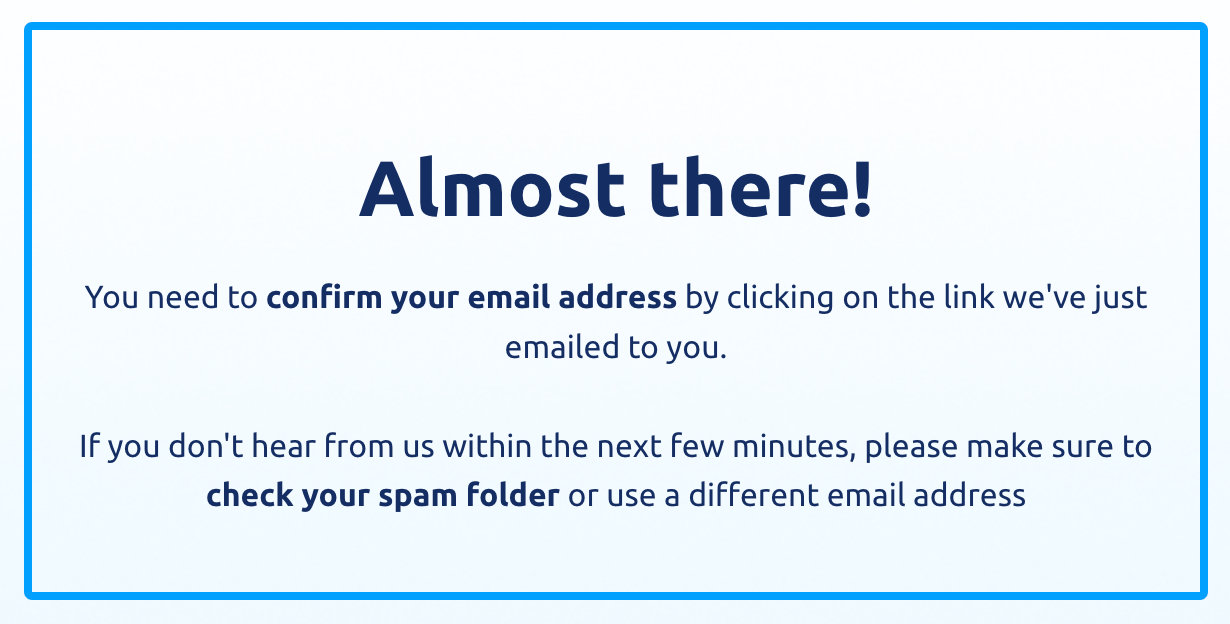
Next, you'll see this message.
THIS email will be the one for your Full-Featured Systeme.io account - and is NOT the email we told you to avoid. (I wish you had been a fly on the wall while Cait and I were building out this page.)
Step 3:
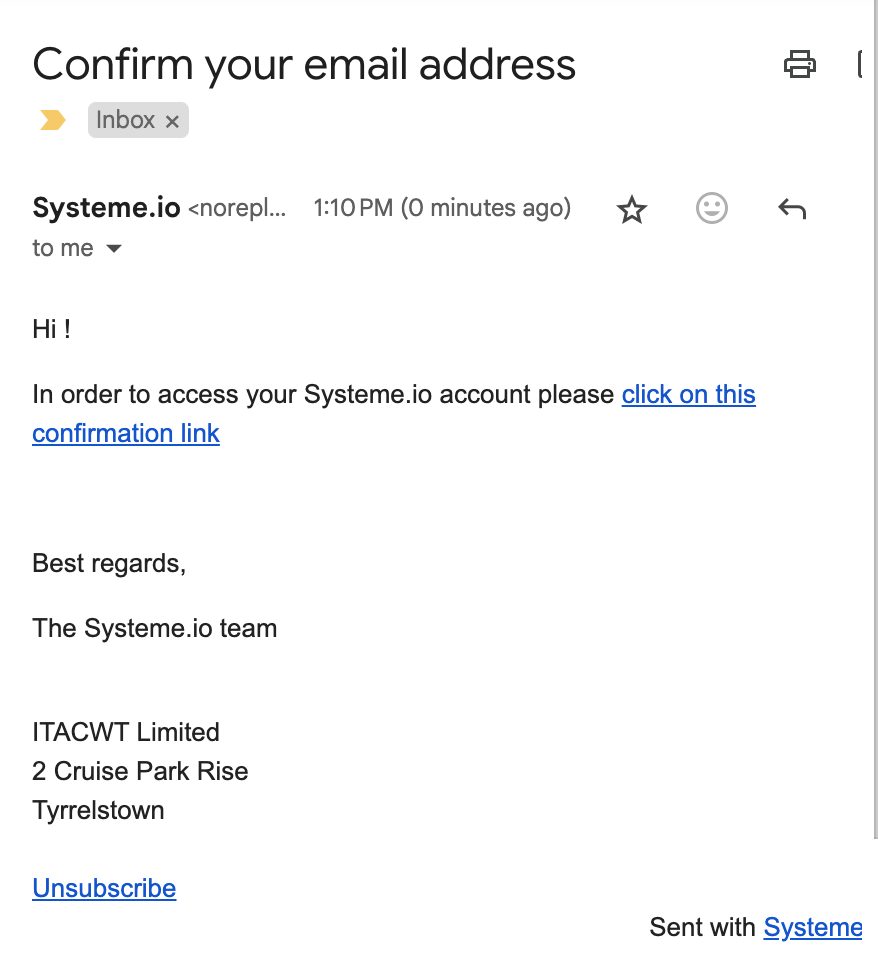
Now look for THIS email in your inbox.
If you don't see it, check your junk mail folder.
Click on the confirmation link to complete your account setup.
Step 4:
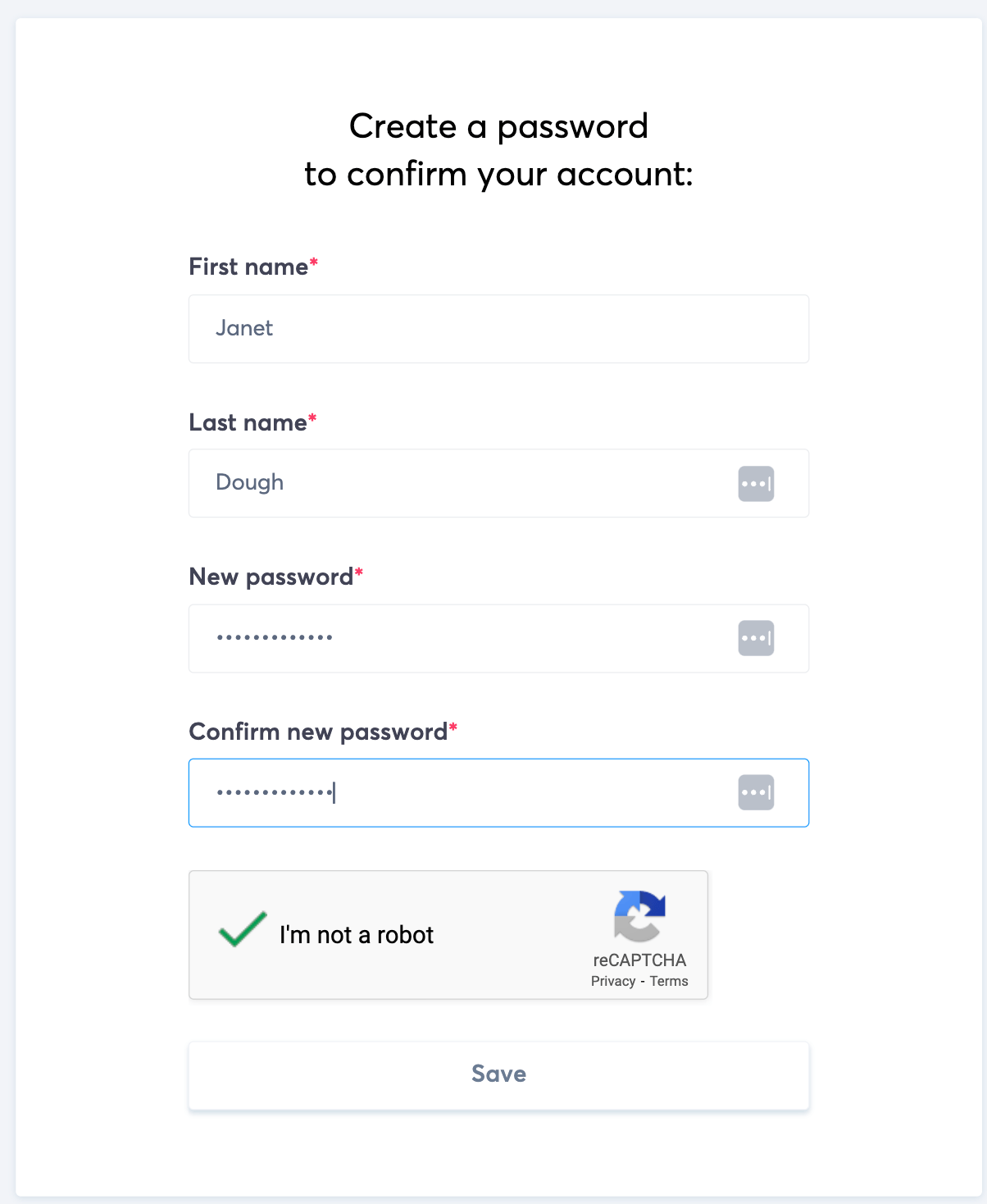
Create your username and password.
Confirm you aren't a robot.
Click the Save button.
Step 5:
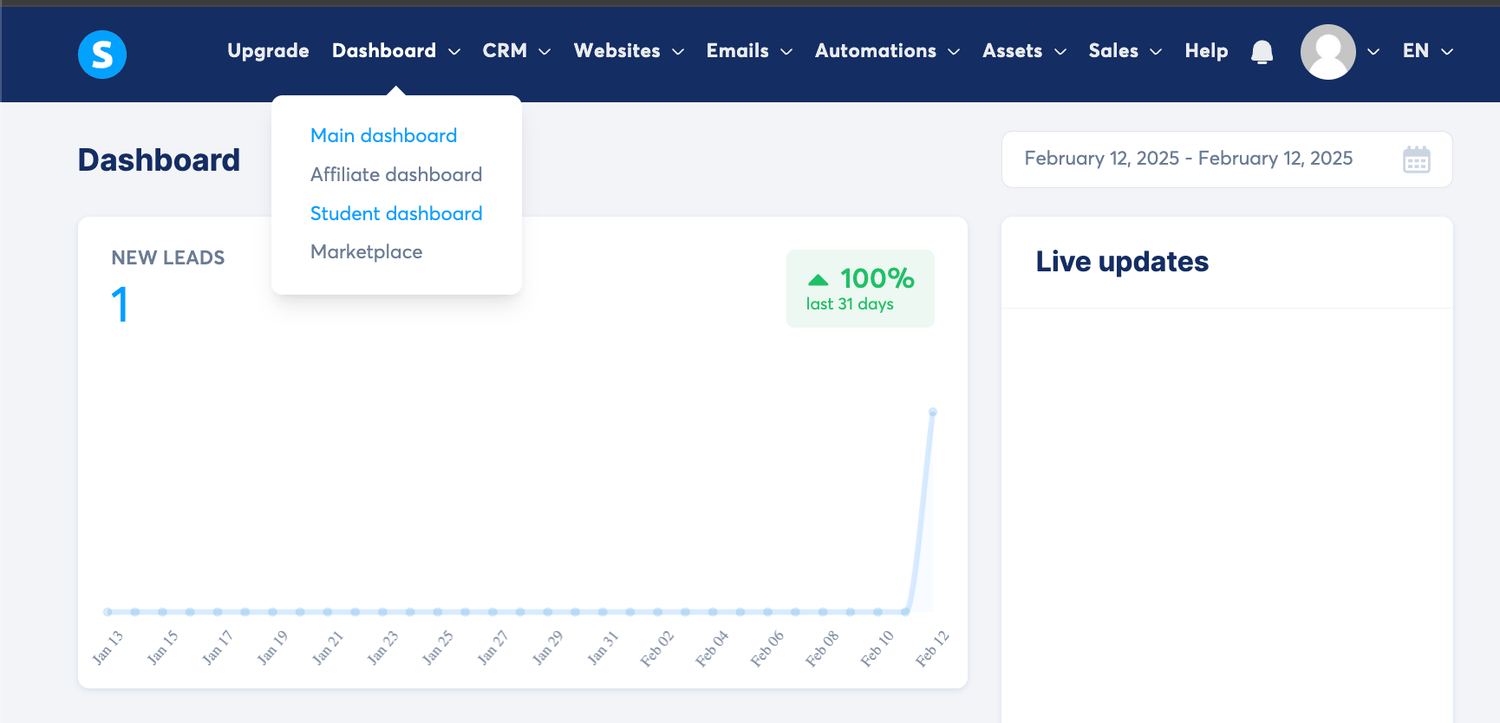
Now you're in the main Systeme.io Dashboard.
Hover over the main menu, then click the Student Dashboard link.
Step 6:
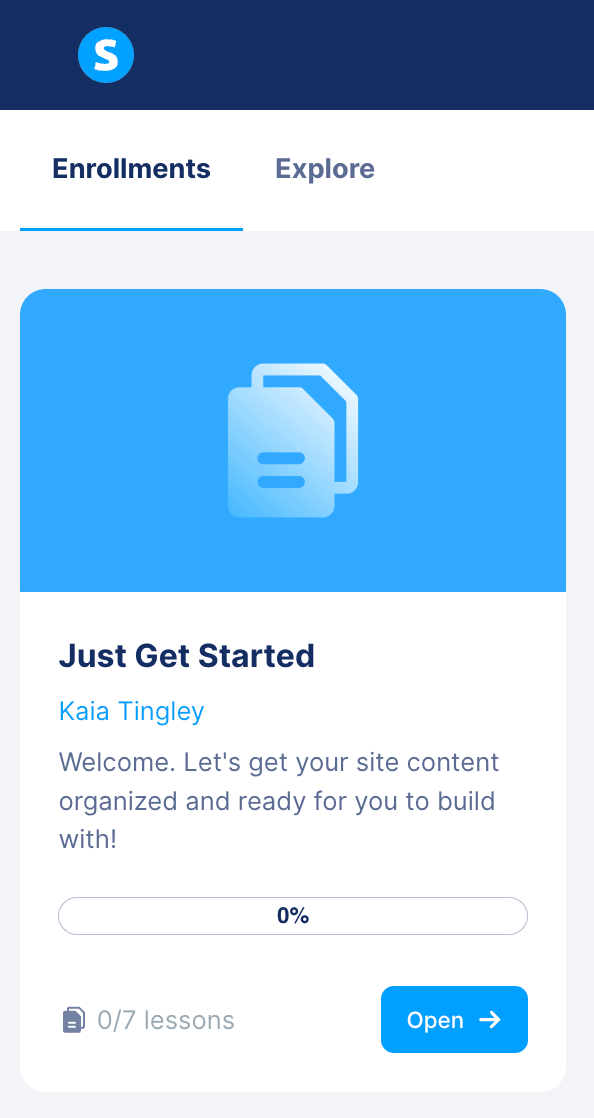
Make sure Enrollments is selected and you will see the Just Get Started class.
Click the Open button to access your first lesson!
If you made it this far, you're going to do great!
Welcome to the Web Makers Circle!
For immediate access to Just Get Started, first watch this short video, then follow the steps below.
DO NOT click the link in the default course welcome email!
The email with the subject line "Important: Your access to training" only gives you a STUDENT account.
To create the FREE Full-Featured Systeme.io website building account you can use to complete the class exercises.
Step 1
When you click the big pink button above, you'll be prompted to enter your email in a box like this.
NOTE: You do NOT need a professional business email at this point. Your personal one is fine.
Step 2
Next, you'll see this message.
THIS email will be the one for your Full-Featured Systeme.io account - and is NOT the email we told you to avoid.
(I wish you had been a fly on the wall while Cait and I were building out this page.)
If you don't see it, check your junk mail folder.
Click on the confirmation link to complete your account setup.
Step 4
Create your username and password.
Confirm you aren't a robot.
Click the Save button.
Step 5
Now you're in the main Systeme.io Dashboard.
Hover over the main menu, then click the Student Dashboard link.
Step 6
Make sure Enrollments is selected and you will see the Just Get Started class.
Click the Open button to access your first lesson!
If you made it this far, you're going to do great!
© Copyright Web Makers Circle LLC, 2025 All Rights Reserved Terms of Use | Privacy Policy
© Copyright 2025 Web Makers Circle LLC
Austin TX | All Rights Reserved
